Recruiting emails to college coaches. Organized — and sent from your own Gmail.
Find the schools that fit from every NCAA program, keep each coaching staff on one board, write templates that fill themselves in, and work through an outreach one school at a time — without leaving Gmail. You press Send. Every time.
- Install the extension first, then sign in
- You send every email
- Never reads your mailbox
Rosters, budgets, coaches, admissions, cost and campus safety for every program. Browse by sport →
Four steps. The first one is the extension.
CollegeSend lives inside Gmail, so the extension is where everything starts. The website is where your board lives.
- 1
Add the Chrome extension
Coming to the Chrome Web Store. Until then, install it from the link your program shares. Works in Gmail on desktop Chrome.
Add to Chrome → - 2
Sign in with Google
Use the Google account you send recruiting emails from. Sign-in asks for your name and email only — no Gmail permission.
- 3
Build your board
Search every NCAA program on the map, save target lists, fill in your athlete profile once, write a template or two.
- 4
Send from Gmail
Start outreach. Compose next opens each school’s email with the coaches and template in place. You review and press Send.
Built for the way recruiting actually happens
Hundreds of schools to weigh, several coaches at each, the same story told carefully every time. CollegeSend keeps it straight — from the first search to the last send.
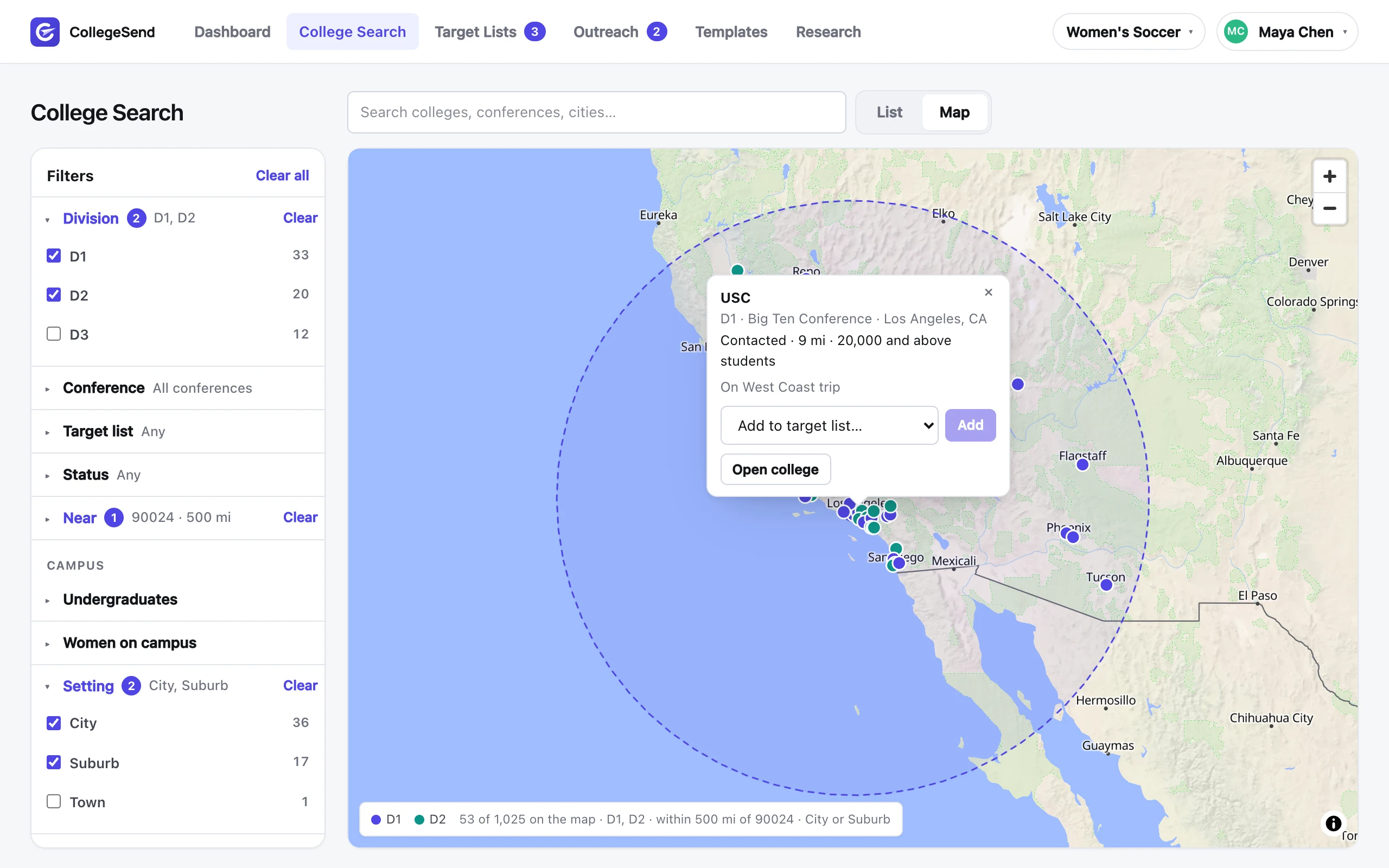
Search every program on a map
All 18,000 NCAA programs, filtered by division, distance from home, admission rate, room on the roster, cost and majors — as a list or as dots on a map.
Research built for athletes
Roster, budget, spend per player, APR, admissions and cost for every program, ranked against its division. Compare two schools head to head.
Target lists
Save sets of schools — reach schools, D3 favourites, this weekend's showcase — from any search, ranking or map, and start outreach from any of them.
Templates with live fields
Write once with {{coachLastName}}, {{college}}, {{gpa}}, {{highlightFilm}}. Preview against real coaches before you save.
One email per college
An outreach is one email to each school on a list, to the coaches you pick. Gmail's Send is held until every field is filled, so a placeholder never reaches a coach.
Coaches folder in Gmail
Mail to and from the coaches on your board, gathered in Gmail's left column so replies are never lost in the inbox.
Find the schools that fit. See them on a map.
Every NCAA program with the facts a family weighs: division and conference, distance from home, admission rate and fit for your scores, roster size and room under the new caps, team budget, majors, cost, campus safety. Every filter shows how many schools it leaves.
- A zip code and a radius, with the ring drawn on the map
- Dots coloured by division; click one for the college and its coaches
- Add a school to a target list without leaving the map
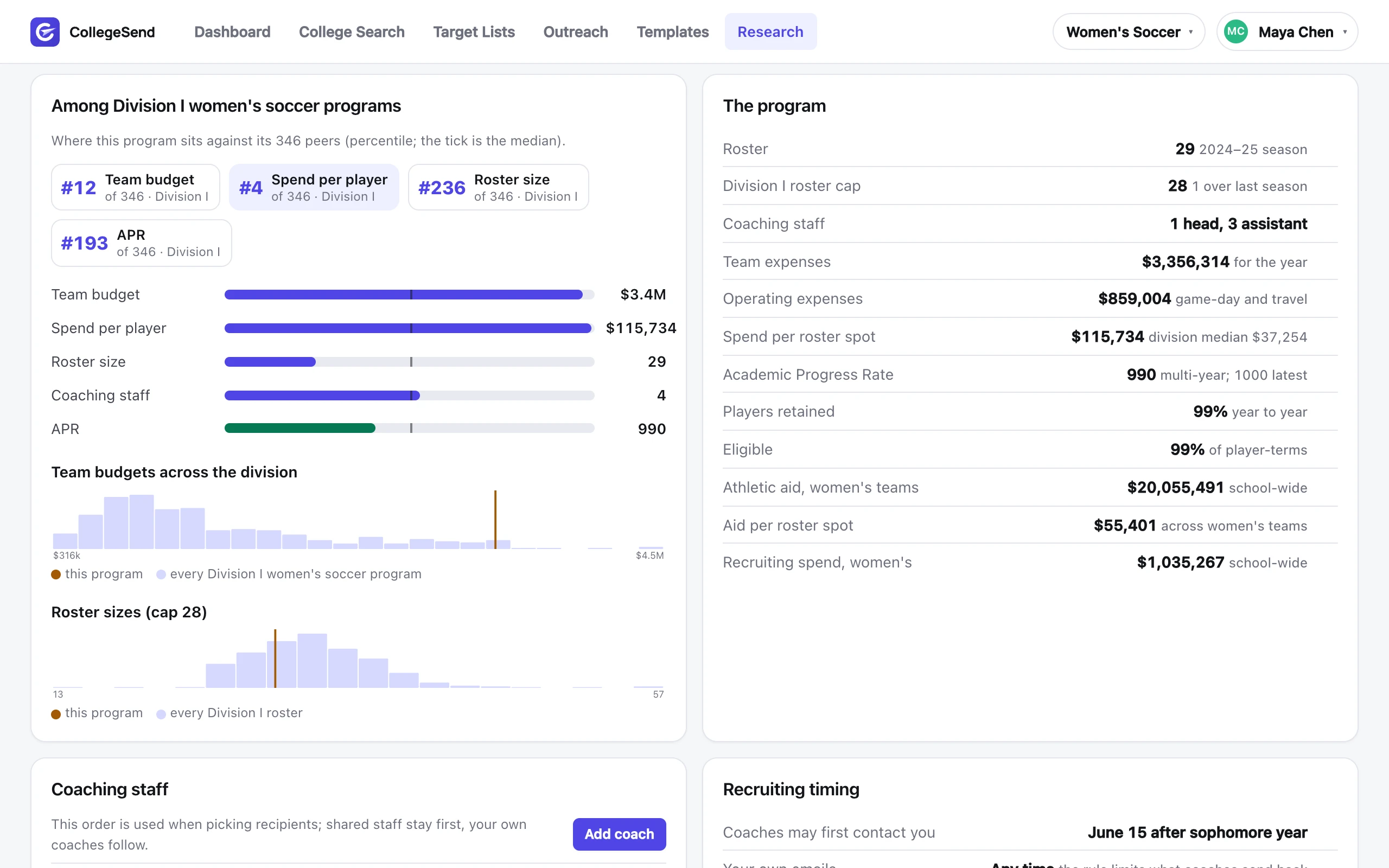
Every program, measured against its division.
The numbers a recruit needs and a coach won’t volunteer: roster and room under the cap, team budget and spend per player, Academic Progress Rate, admissions, what a family really pays. Each one placed among the program’s peers, with rankings and head-to-head comparisons for any two schools.
- Percentiles and charts for every Division I, II and III program
- Rankings by budget, roster room, APR, selectivity and net price
- Save any school to a list from any page — status, priority and notes follow it
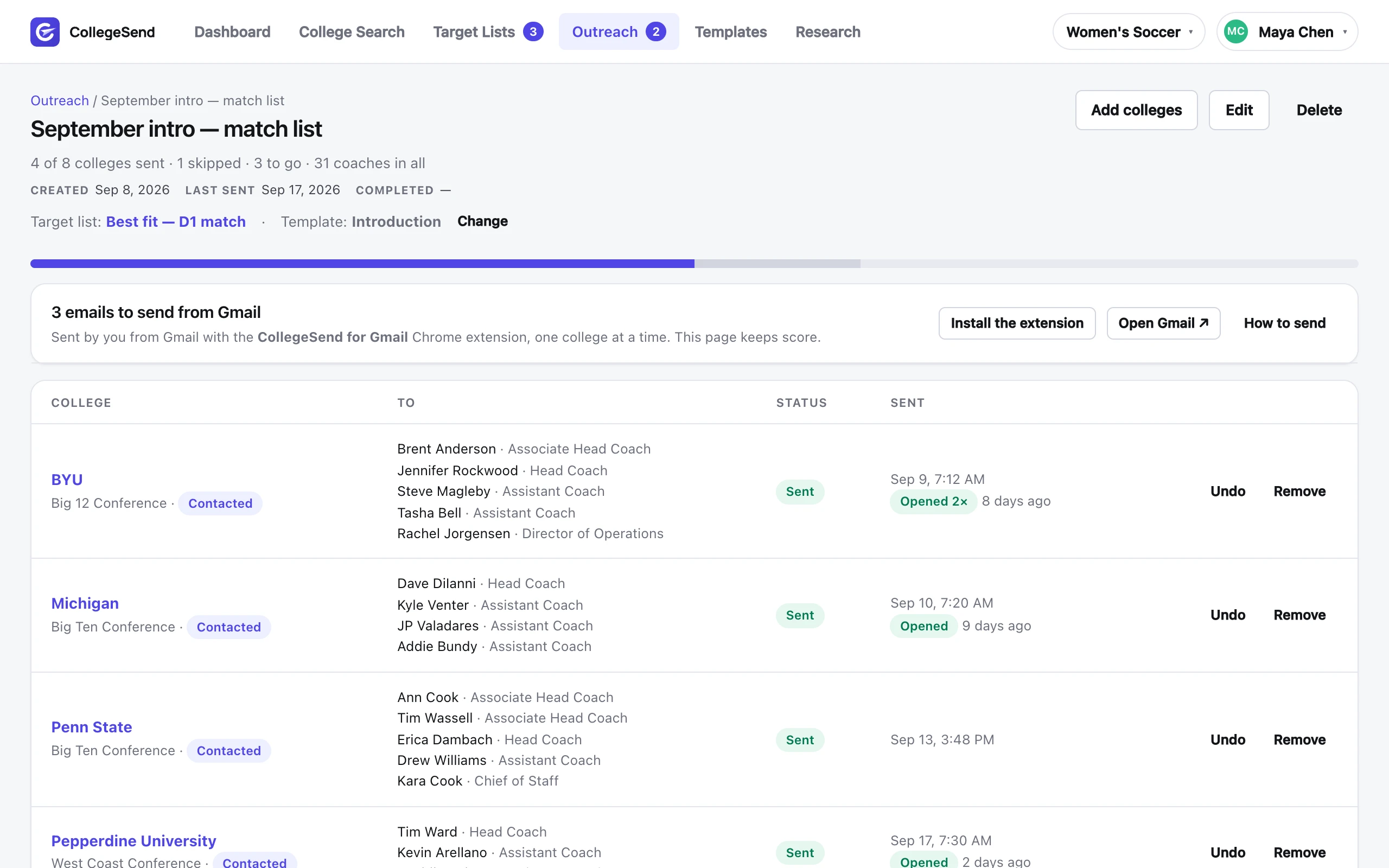
One list. One email per school. Every one checked off.
Pick a target list and a template. Each school becomes a row. In Gmail, Compose next opens the next one with recipients and template ready; when you send it, the row turns green and the outreach moves on.
- Progress and sent dates per school, and whether a coach opened it
- Skip, reorder, or add schools mid-outreach
- Replies tracked back to the school
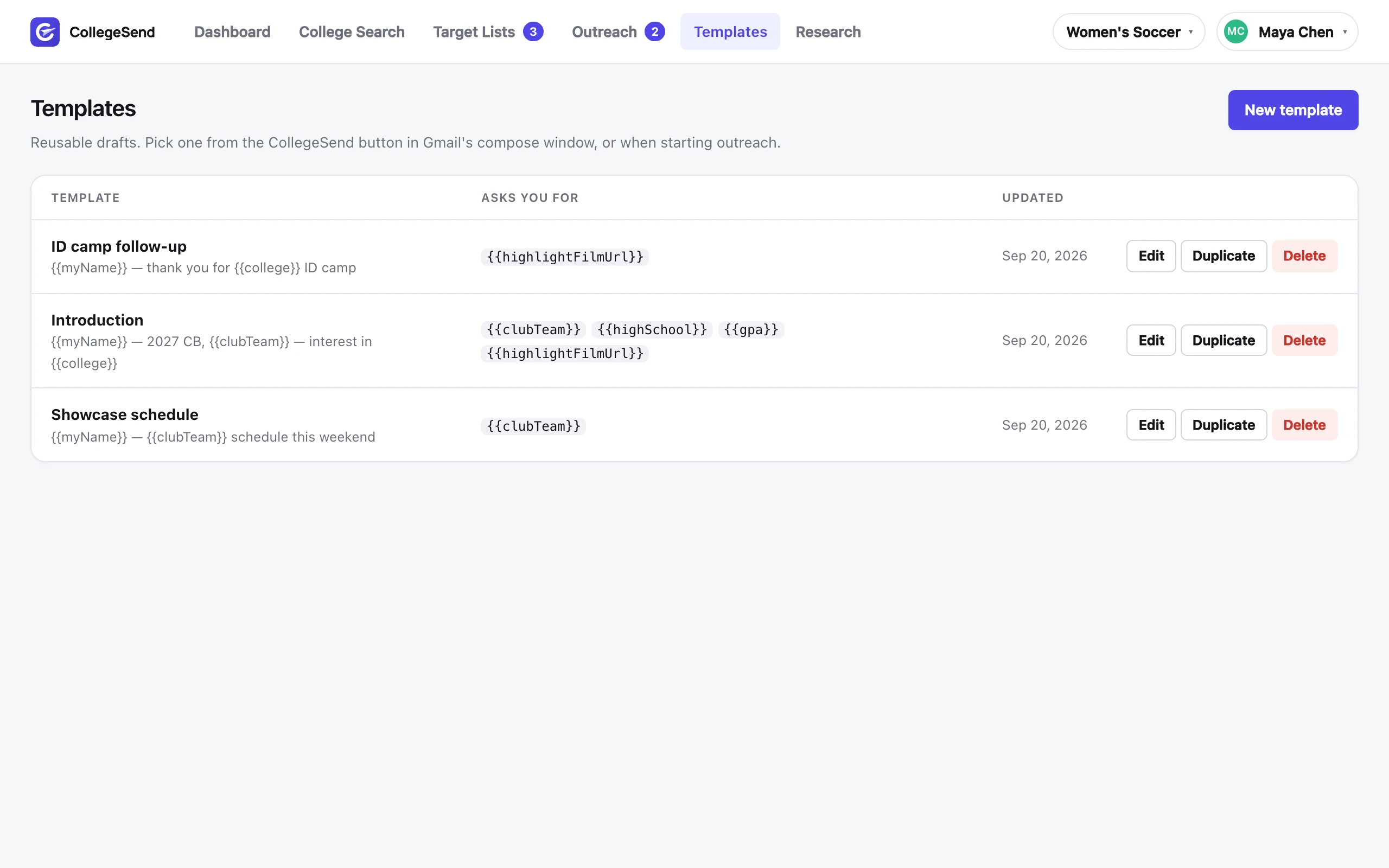
Write it once. It fills itself in.
Type {{ anywhere for the field menu. Recipient fields resolve per coach, your details come from your profile, and anything else is asked for at send time. The preview renders the exact email a staff would receive.
{{coachList}}greets a whole staff correctly- Blank profile fields block Send instead of sending blanks
- Values you type are remembered for next time
Free to start. Members send to every coach.
Research every school, build your board and write your emails for free. Membership puts the shared list’s coach addresses on the To line and unlocks every filter.
- Every school’s research pages and rankings
- College Search by division, conference and distance
- Your board: status, priority and notes on any college
- Coaches’ names and titles, and whether an email is on file
- Email the coaches you add yourself, from Gmail
- 1 target list, 3 templates
- Every coach’s email on the To line, from the shared list
- All 21 college filters: campus, academics, the program, cost
- Unlimited target lists and templates
- See when a coach opens your email
- Everything in Free
Payments are handled by Stripe. No card is needed for the free plan, and nothing is ever sent on your behalf on either plan — you press Send in Gmail.
Nothing is sent for you. Nothing is read.
CollegeSend is a Chrome extension that works inside the Gmail page you already have open. It never connects to your mailbox.
You press Send
Every email is written, reviewed and sent by you with Gmail’s own Send button. There is no bulk send and no automation.
Identity only
Sign in with Google asks for your name and email address. No Gmail permission is ever requested or held.
Your data, your board
Colleges, coaches, templates and progress live in your account. Message contents never reach our servers. Delete everything with one email.
Quick answers
Is this a Gmail add-on?
No — it’s a Chrome extension. It adds a panel and compose tools to Gmail’s web page in desktop Chrome. Gmail itself is untouched, and no Gmail API is used.
Does it work on my phone?
The extension needs desktop Chrome. The website — your board, templates and outreach progress — works in any browser, including on a phone.
Can I email more than one coach at a school?
Yes. Select several and they go on one email, in the order you set on the college page. {{coachList}} greets all of them.
Where do the coach email addresses come from?
Only from public sources — the official athletics websites where each school publishes its coaching staff. We never supply an address a coach or school hasn’t made public. Any private address you add yourself stays in your account, for your use only.
What does it cost?
Nothing to start: research, your board, one target list and emails to coaches you add yourself are free. Membership is $19 a month or $149 a year, cancel any time, and puts every coach’s email from the shared list on your To line plus every college filter.
I use two Gmail accounts.
Each Gmail account signs in separately and has its own board. Switch accounts in Gmail and the panel follows.
Start with the extension.
Add it to Chrome, open Gmail, sign in with Google. Your board is waiting on the website.